


- Регистрация
- 17 Февраль 2018
- Сообщения
- 40 832
- Лучшие ответы
- 0
- Реакции
- 0
- Баллы
- 8 093
Offline
For the Mac versions of pro apps, things aren’t actually changing much (yet).
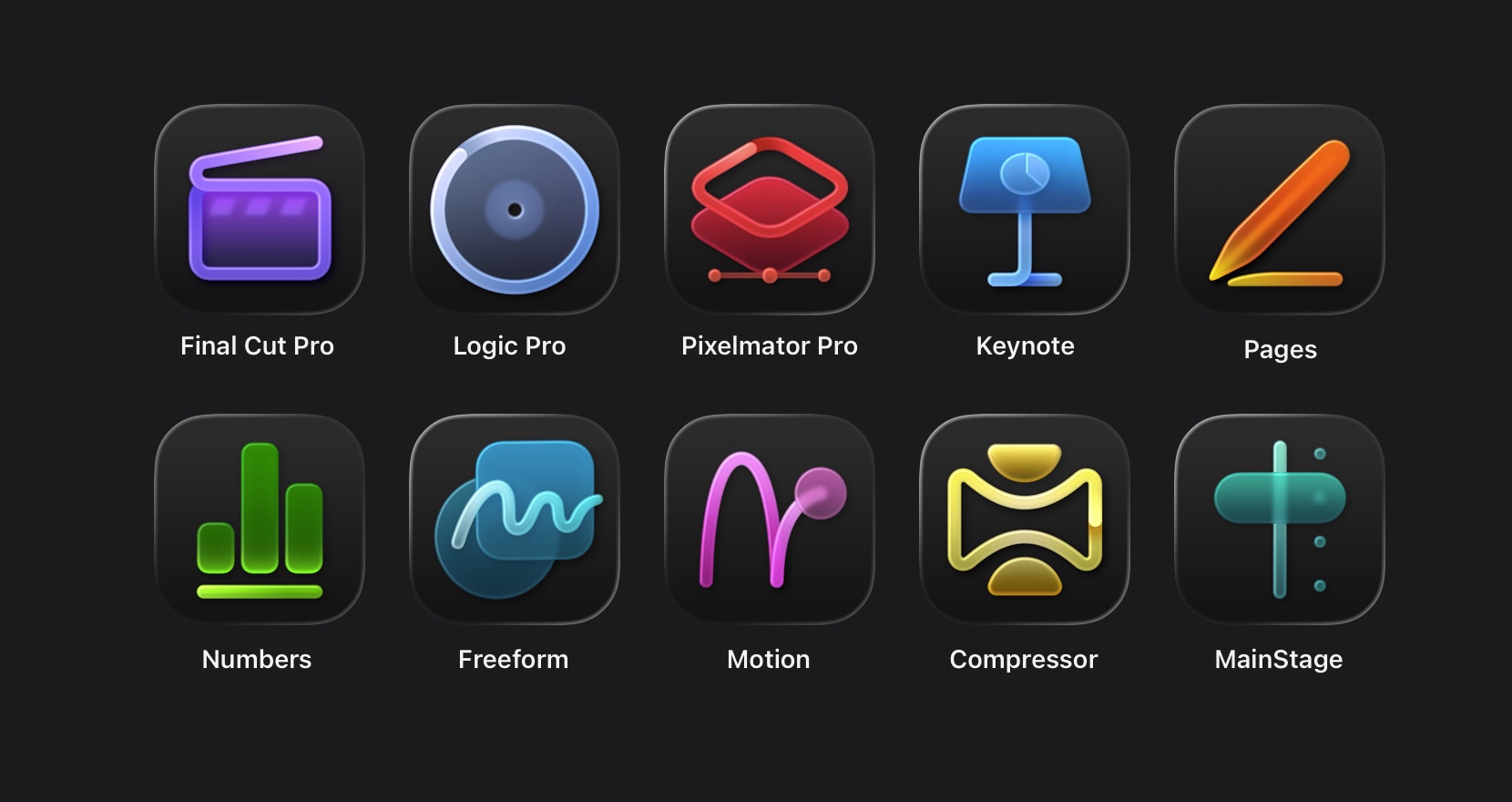
Apple's Creator Studio apps. Credit: Andrew Cunningham
Apple’s new Creator Studio subscription bundle officially launches today, offering access to a wide range of updated professional apps for an all-or-nothing price of $12.99 a month or $129 a year. Teachers and students can get the same apps for $2.99 a month, or $29.99 a year.
The bundle includes either access to or enhanced features for a total of 10 Apple apps, though the base versions of several of these are available for free to all Mac and iPad owners:
When companies introduce a subscription-based model for long-standing apps with an established user base, they often shift exclusively to a subscription model, offering continuous updates in return for a more consistent revenue stream. But these aren’t always popular with subscription-fatigued users, who have seen virtually all major paid software shift to a subscription model in the last 10 or 15 years, and who in recent years have had to deal with prices that are continuously being ratcheted upward.
Apple’s subscription shift looks a little less like Adobe’s approach to Photoshop and a little more like Microsoft’s approach to Office: many of these apps, particularly the Mac versions, will remain available for free or as standalone one-time purchases from the App Store.
In lieu of running through each of these apps’ new features one by one, we’ve gathered answers to some questions about how the new subscriptions will work and how they’ll compare to the standalone versions of the apps.
What apps are still available individually?
Apple still offers Mac App Store versions of the following apps as one-time purchases:
If you’ve already bought those apps from the Mac App Store at any point in the past, you’ll still have access to them, and they’ll be updated to the current versions at no charge.
While Mac users are generally pretty well taken care of here, current iPad users of Final Cut Pro or Logic are getting the short end of the stick. When those apps were initially introduced on the iPad, they cost $4.99 per app per month, or $49 per year per app. Those standalone subscriptions appear to have been axed with the introduction of the Creator Studio bundle.
The downside of Apple’s all-or-nothing pricing is that the bundle is only a great value if you actually intend to use multiple apps on multiple platforms regularly. People who are already splitting their time between the Mac and the iPad and using more than one of these apps will get a lot of value for their money; anyone who just wants to run Final Cut Pro on their iPad is looking at a big price hike.
Will standalone apps be updated?
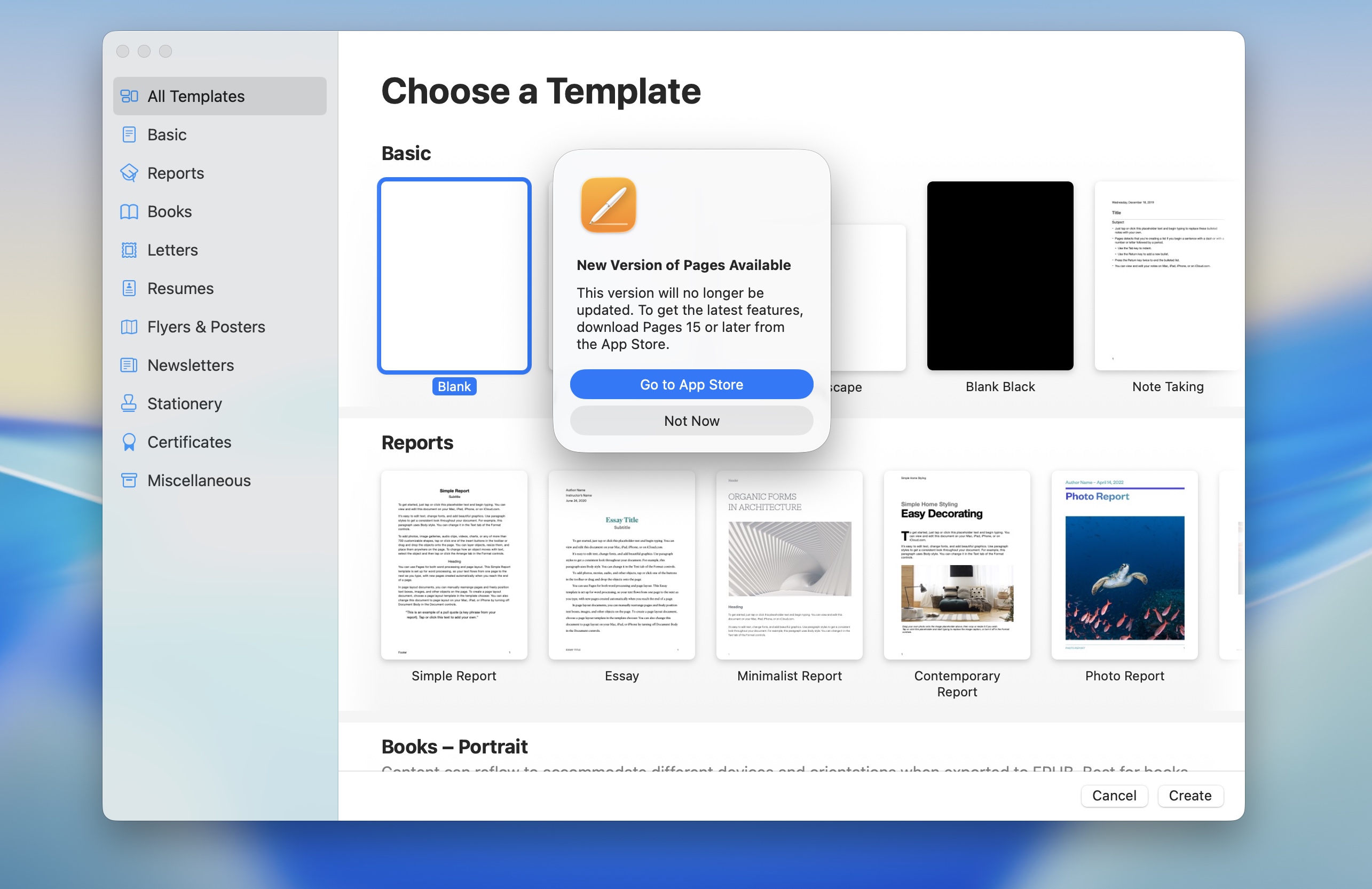
The standalone apps and Creator Studio apps will mostly be updated in lockstep, but there are some weirdnesses—like the bifurcation of the “old” and “new” versions of the apps formerly known as iWork. Credit: Andrew Cunningham
The short answer is “yes, the standalone versions of these apps will generally be updated in lockstep with the Creator Studio versions.” But Apple is taking slightly different approaches depending on the app.
All of the Apple Creator Studio apps are brand-new versions with new version numbers: Final Cut Pro jumps from version 11 to version 12, for example, and Keynote, Pages, and Numbers (apps I still think of collectively as “iWork” despite that name being well over a decade out of date) are being bumped from version 14 to version 15. Apple’s Creator Studio support document lists all of the new version numbers.
For the paid apps, these new versions will be downloaded and installed just as previous Mac App Store updates have been. The standalone Final Cut Pro, Logic Pro, Compressor, Motion, and MainStage apps have already been updated to the new version numbers, and installing any of them will pull down the latest version.
But the standalone version of Pixelmator Pro is still listed as the old version, 3.7.1, while the new version 4.0 requires a Creator Studio subscription. It’s not clear whether that’s going to change.
As for Keynote, Pages, and Numbers, the iOS and iPadOS versions of the new apps will be seamlessly installed in place of the old apps. But it’s being handled slightly differently on the Mac for some reason. All three apps now have two versions listed in the app store: the old ones, set at version 14.5, and the new ones, set at 15.1. Installing the 14.5 update, which was released today, adds a prompt when you launch the old apps, informing you that they’re out of date and that you should install the new ones instead.
The subscription apps don’t replace the standalone apps
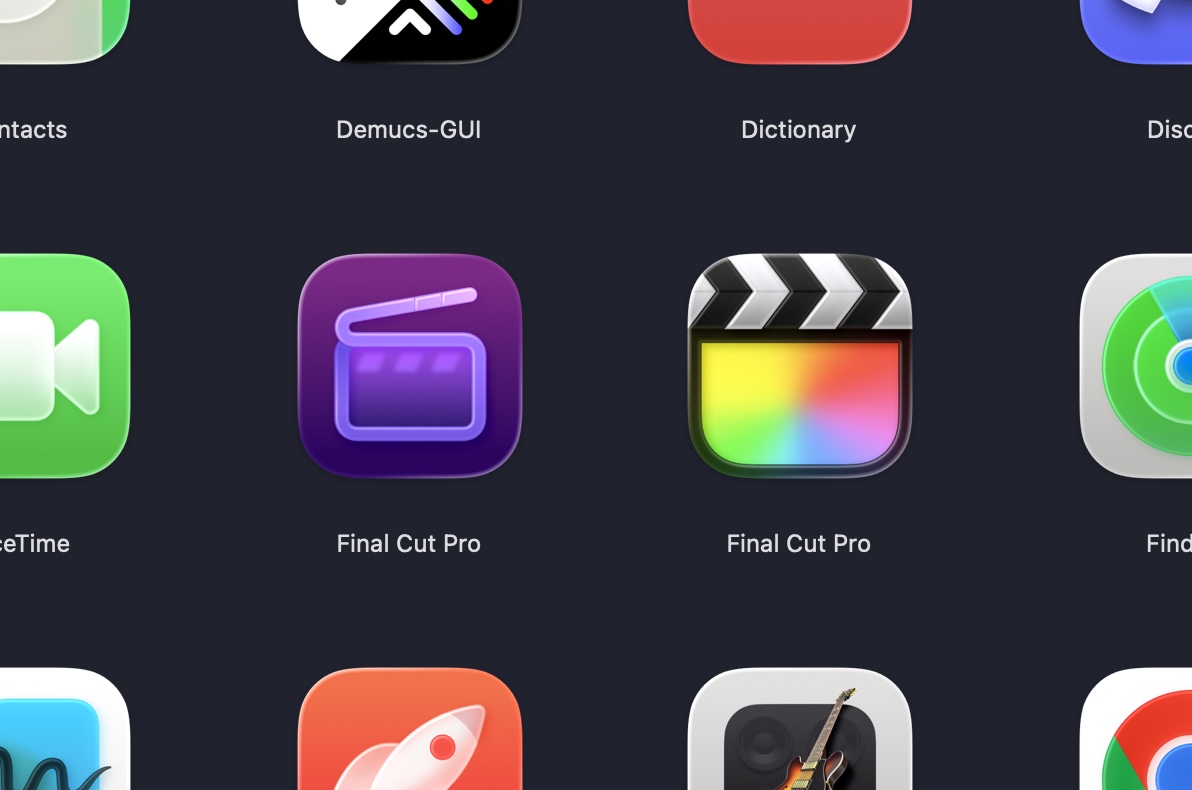
The Creator Studio and paid standalone apps can coexist on the same Mac, if that’s something you want or need. Credit: Andrew Cunningham
Users can have both the standalone and Creator Studio versions of all apps installed on their devices at the same time. You’ll be able to tell both versions apart using their icons—the standalone apps keep the same icons they had before, and the Creator Studio versions get the occasionally controversial high-contrast Liquid Glass-ified redesigns.
Incidentally, you can also tell the versions of the apps apart by their App Store listings. The standalone ones are just referred to by their names (i.e., “Final Cut Pro,” “Logic Pro”) while the new ones have more modern obnoxious search-optimized titles (“Final Cut Pro: Create Video,” “Logic Pro: Make Music,” “Keynote: Design Presentations”).
What are the standalone apps missing?
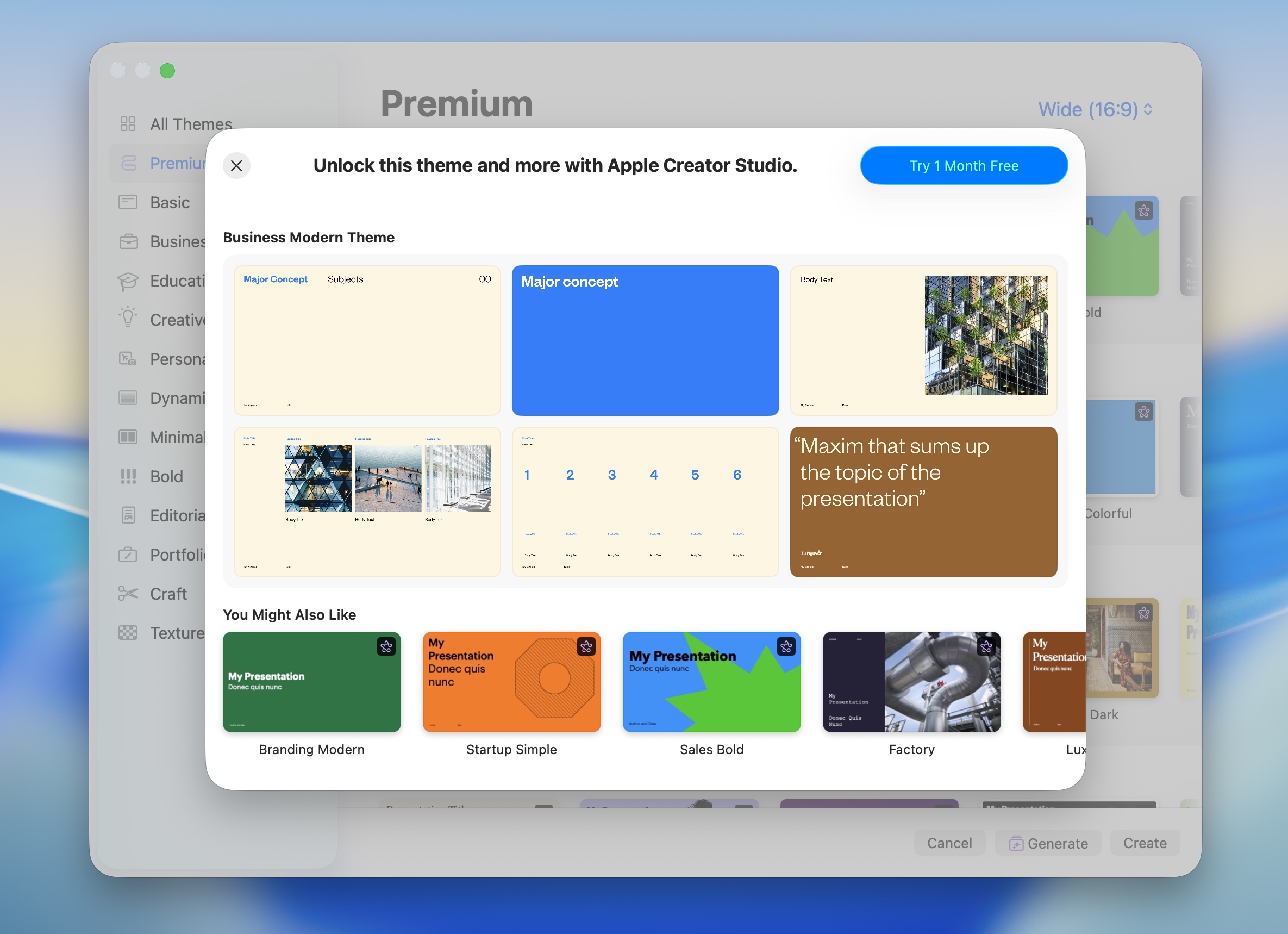
In Keynote, Pages, and Numbers, trying to use any “premium” features in the free apps will prompt you to subscribe. Credit: Andrew Cunningham
The brightest dividing line between the standalone and Creator Studio apps is for the free ones, Keynote, Pages, and Numbers. All three look the same whether you have an active subscription or not, but the free versions will prompt you to upgrade to Creator Studio any time you attempt to use “premium” features, which as of this writing includes document templates and generative AI features.
A Creator Studio subscription is also required to access the “Content Hub,” a library of stock images available only in the Pages, Numbers, and Keynote apps (at least for now; they should also be available in Freeform “later this year”). Apple may expand the Content Hub with video and audio content suitable for Final Cut Pro or Logic at some point in the future, but it’s not something the company is offering right now.
At least as of this writing, the paid standalone Mac apps don’t appear to be missing any major features relative to the Creator Studio versions. There’s no way to know whether this will change except to wait and see.
Sharing and device limits
An Apple Creator Studio subscription can be shared among up to six Apple accounts using Family Sharing, potentially defraying the cost of the subscription further. This only applies to the standard version of the subscription; education subscriptions can’t be shared.
Apple accounts attached to an active subscription can install the apps on up to 10 devices simultaneously. This is a relatively generous allotment compared to Adobe’s Creative Cloud, which just allows installation on two devices at once and only allows the apps to be used on a single system at a time.
System requirements and other restrictions
Apple outlines detailed system requirements for each app on its support page here. For most of the Mac apps, all you need is a Mac running macOS 15.6 Sequoia or later; the only Mac app that requires macOS 26 Tahoe is Pixelmator Pro. Most of the apps will also run on either Intel or Apple Silicon Macs, though MainStage is Apple Silicon-exclusive, and “some features” in Compressor may also require Apple Silicon.
The requirements for the iPad apps are a little more restrictive; you generally need to be running either iPadOS 18.6 or iPadOS 26, and both Final Cut Pro and Pixelmator Pro either want an Apple M1, an Apple A16, or an Apple A17 Pro (in other words, it will work on every iPad Apple currently sells, but older iPad hardware is more hit or miss).
Apple also outlines a number of usage restrictions for the generative AI features that rely on external services. Apple says that, “at a minimum,” users will be able to generate 50 images, 50 presentations of between 8 to 10 slides each, and to generate presenter notes in Keynote for 700 slides. More usage may be possible, but this depends on “the complexity of the queries, server availability, and network availability.”
These AI features are all based on OpenAI technology, but don’t require users to have their own OpenAI or ChatGPT account (the flip side is that if you already pay for ChatGPT, that won’t benefit you here). Apple also says that the content you use to generate images, presentations, or notes “will never be used to train intelligence models.”
What apps aren’t getting new versions?
There are three major creative apps that Apple offers that haven’t been bundled into Creator Studio, and also haven’t gotten a major new update: iMovie, GarageBand, and Photomator.
There are extenuating circumstances that explain why these three apps haven’t been given a Creator Studio-style overhaul. The iMovie and GarageBand apps have always sort of been positioned as “lite” free-to-use versions of Final Cut Pro and Logic Pro, respectively, while Photomator is a recently acquired app that overlaps somewhat with the built-in Photos app.
Apple has nothing to share about the future of any of the three apps. Both iMovie and Photomator received minor updates today, presumably related to maintaining compatibility with the Creator Studio apps, and GarageBand was last updated a month ago. Expect them to stick around in their current forms for at least a while.
Apple's Creator Studio apps. Credit: Andrew Cunningham
Apple’s new Creator Studio subscription bundle officially launches today, offering access to a wide range of updated professional apps for an all-or-nothing price of $12.99 a month or $129 a year. Teachers and students can get the same apps for $2.99 a month, or $29.99 a year.
The bundle includes either access to or enhanced features for a total of 10 Apple apps, though the base versions of several of these are available for free to all Mac and iPad owners:
- Final Cut Pro
- Logic Pro
- Pixelmator Pro
- Keynote, Pages, and Numbers
- Freeform
- Motion, Compressor, and MainStage (Mac only)
When companies introduce a subscription-based model for long-standing apps with an established user base, they often shift exclusively to a subscription model, offering continuous updates in return for a more consistent revenue stream. But these aren’t always popular with subscription-fatigued users, who have seen virtually all major paid software shift to a subscription model in the last 10 or 15 years, and who in recent years have had to deal with prices that are continuously being ratcheted upward.
Apple’s subscription shift looks a little less like Adobe’s approach to Photoshop and a little more like Microsoft’s approach to Office: many of these apps, particularly the Mac versions, will remain available for free or as standalone one-time purchases from the App Store.
In lieu of running through each of these apps’ new features one by one, we’ve gathered answers to some questions about how the new subscriptions will work and how they’ll compare to the standalone versions of the apps.
What apps are still available individually?
Apple still offers Mac App Store versions of the following apps as one-time purchases:
- Final Cut Pro ($299.99)
- Logic Pro ($199.99)
- Pixelmator Pro ($49.99)
- Compressor ($49.99)
- Motion ($49.99)
- MainStage ($29.99)
If you’ve already bought those apps from the Mac App Store at any point in the past, you’ll still have access to them, and they’ll be updated to the current versions at no charge.
While Mac users are generally pretty well taken care of here, current iPad users of Final Cut Pro or Logic are getting the short end of the stick. When those apps were initially introduced on the iPad, they cost $4.99 per app per month, or $49 per year per app. Those standalone subscriptions appear to have been axed with the introduction of the Creator Studio bundle.
The downside of Apple’s all-or-nothing pricing is that the bundle is only a great value if you actually intend to use multiple apps on multiple platforms regularly. People who are already splitting their time between the Mac and the iPad and using more than one of these apps will get a lot of value for their money; anyone who just wants to run Final Cut Pro on their iPad is looking at a big price hike.
Will standalone apps be updated?
The standalone apps and Creator Studio apps will mostly be updated in lockstep, but there are some weirdnesses—like the bifurcation of the “old” and “new” versions of the apps formerly known as iWork. Credit: Andrew Cunningham
The short answer is “yes, the standalone versions of these apps will generally be updated in lockstep with the Creator Studio versions.” But Apple is taking slightly different approaches depending on the app.
All of the Apple Creator Studio apps are brand-new versions with new version numbers: Final Cut Pro jumps from version 11 to version 12, for example, and Keynote, Pages, and Numbers (apps I still think of collectively as “iWork” despite that name being well over a decade out of date) are being bumped from version 14 to version 15. Apple’s Creator Studio support document lists all of the new version numbers.
For the paid apps, these new versions will be downloaded and installed just as previous Mac App Store updates have been. The standalone Final Cut Pro, Logic Pro, Compressor, Motion, and MainStage apps have already been updated to the new version numbers, and installing any of them will pull down the latest version.
But the standalone version of Pixelmator Pro is still listed as the old version, 3.7.1, while the new version 4.0 requires a Creator Studio subscription. It’s not clear whether that’s going to change.
As for Keynote, Pages, and Numbers, the iOS and iPadOS versions of the new apps will be seamlessly installed in place of the old apps. But it’s being handled slightly differently on the Mac for some reason. All three apps now have two versions listed in the app store: the old ones, set at version 14.5, and the new ones, set at 15.1. Installing the 14.5 update, which was released today, adds a prompt when you launch the old apps, informing you that they’re out of date and that you should install the new ones instead.
The subscription apps don’t replace the standalone apps
The Creator Studio and paid standalone apps can coexist on the same Mac, if that’s something you want or need. Credit: Andrew Cunningham
Users can have both the standalone and Creator Studio versions of all apps installed on their devices at the same time. You’ll be able to tell both versions apart using their icons—the standalone apps keep the same icons they had before, and the Creator Studio versions get the occasionally controversial high-contrast Liquid Glass-ified redesigns.
Incidentally, you can also tell the versions of the apps apart by their App Store listings. The standalone ones are just referred to by their names (i.e., “Final Cut Pro,” “Logic Pro”) while the new ones have more modern obnoxious search-optimized titles (“Final Cut Pro: Create Video,” “Logic Pro: Make Music,” “Keynote: Design Presentations”).
What are the standalone apps missing?
In Keynote, Pages, and Numbers, trying to use any “premium” features in the free apps will prompt you to subscribe. Credit: Andrew Cunningham
The brightest dividing line between the standalone and Creator Studio apps is for the free ones, Keynote, Pages, and Numbers. All three look the same whether you have an active subscription or not, but the free versions will prompt you to upgrade to Creator Studio any time you attempt to use “premium” features, which as of this writing includes document templates and generative AI features.
A Creator Studio subscription is also required to access the “Content Hub,” a library of stock images available only in the Pages, Numbers, and Keynote apps (at least for now; they should also be available in Freeform “later this year”). Apple may expand the Content Hub with video and audio content suitable for Final Cut Pro or Logic at some point in the future, but it’s not something the company is offering right now.
At least as of this writing, the paid standalone Mac apps don’t appear to be missing any major features relative to the Creator Studio versions. There’s no way to know whether this will change except to wait and see.
Sharing and device limits
An Apple Creator Studio subscription can be shared among up to six Apple accounts using Family Sharing, potentially defraying the cost of the subscription further. This only applies to the standard version of the subscription; education subscriptions can’t be shared.
Apple accounts attached to an active subscription can install the apps on up to 10 devices simultaneously. This is a relatively generous allotment compared to Adobe’s Creative Cloud, which just allows installation on two devices at once and only allows the apps to be used on a single system at a time.
System requirements and other restrictions
Apple outlines detailed system requirements for each app on its support page here. For most of the Mac apps, all you need is a Mac running macOS 15.6 Sequoia or later; the only Mac app that requires macOS 26 Tahoe is Pixelmator Pro. Most of the apps will also run on either Intel or Apple Silicon Macs, though MainStage is Apple Silicon-exclusive, and “some features” in Compressor may also require Apple Silicon.
The requirements for the iPad apps are a little more restrictive; you generally need to be running either iPadOS 18.6 or iPadOS 26, and both Final Cut Pro and Pixelmator Pro either want an Apple M1, an Apple A16, or an Apple A17 Pro (in other words, it will work on every iPad Apple currently sells, but older iPad hardware is more hit or miss).
Apple also outlines a number of usage restrictions for the generative AI features that rely on external services. Apple says that, “at a minimum,” users will be able to generate 50 images, 50 presentations of between 8 to 10 slides each, and to generate presenter notes in Keynote for 700 slides. More usage may be possible, but this depends on “the complexity of the queries, server availability, and network availability.”
These AI features are all based on OpenAI technology, but don’t require users to have their own OpenAI or ChatGPT account (the flip side is that if you already pay for ChatGPT, that won’t benefit you here). Apple also says that the content you use to generate images, presentations, or notes “will never be used to train intelligence models.”
What apps aren’t getting new versions?
There are three major creative apps that Apple offers that haven’t been bundled into Creator Studio, and also haven’t gotten a major new update: iMovie, GarageBand, and Photomator.
There are extenuating circumstances that explain why these three apps haven’t been given a Creator Studio-style overhaul. The iMovie and GarageBand apps have always sort of been positioned as “lite” free-to-use versions of Final Cut Pro and Logic Pro, respectively, while Photomator is a recently acquired app that overlaps somewhat with the built-in Photos app.
Apple has nothing to share about the future of any of the three apps. Both iMovie and Photomator received minor updates today, presumably related to maintaining compatibility with the Creator Studio apps, and GarageBand was last updated a month ago. Expect them to stick around in their current forms for at least a while.
