

- Регистрация
- 15 Фев 2018
- Сообщения
- 10,369
- Реакции
- 0
- Баллы
- 36
Ofline
TL;DR
- We discovered that Google is working on a way to let you stop or dismiss alarms via your Android Auto screen.
- Android Auto doesn’t currently let you stop or dismiss alarms via the car display, forcing you to use your phone.
Android Auto is a convenient way to use your phone in the car, giving you access to your apps and a variety of other features. However, one huge limitation is that you can’t actually snooze or dismiss your phone’s alarm from the car screen. Thankfully, we’ve uncovered evidence showing that Google is working on a solution.
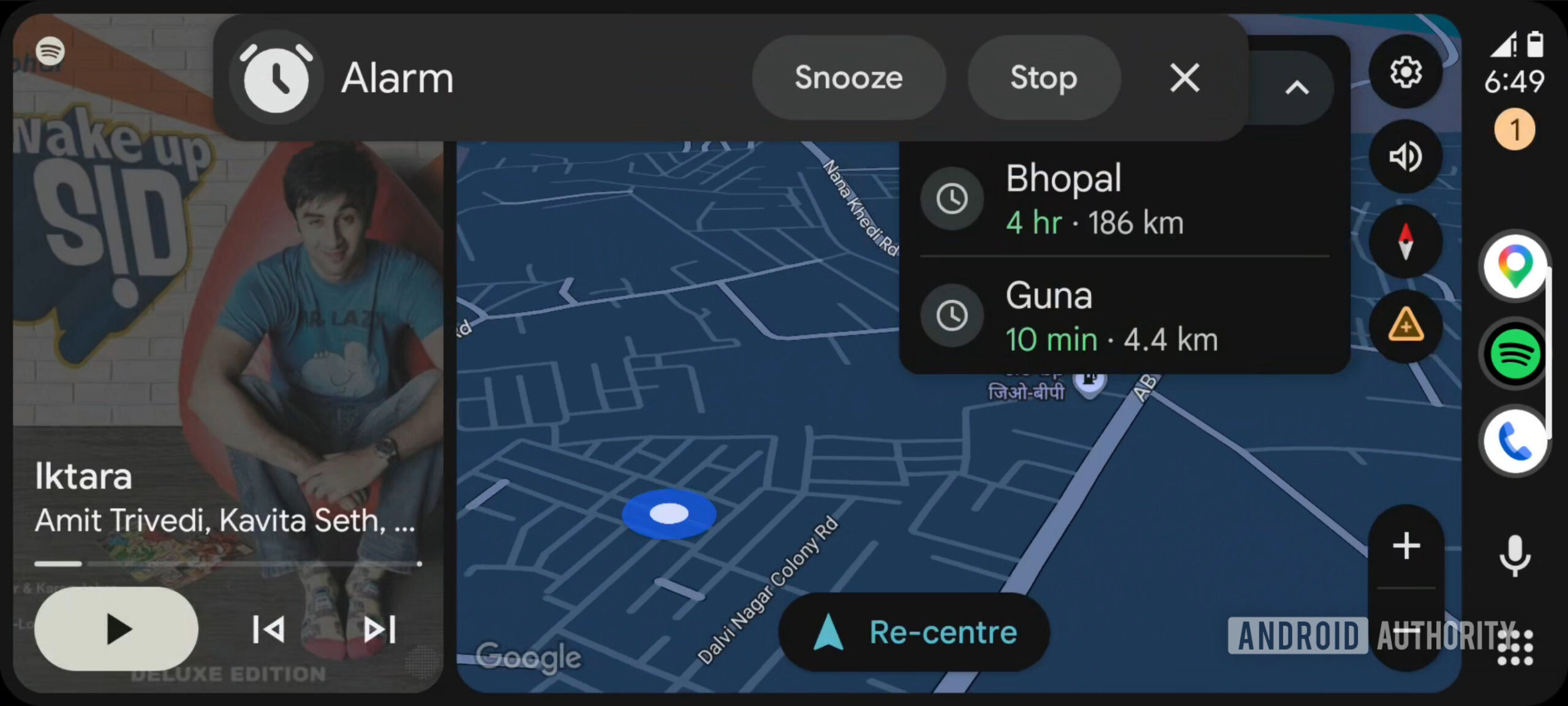
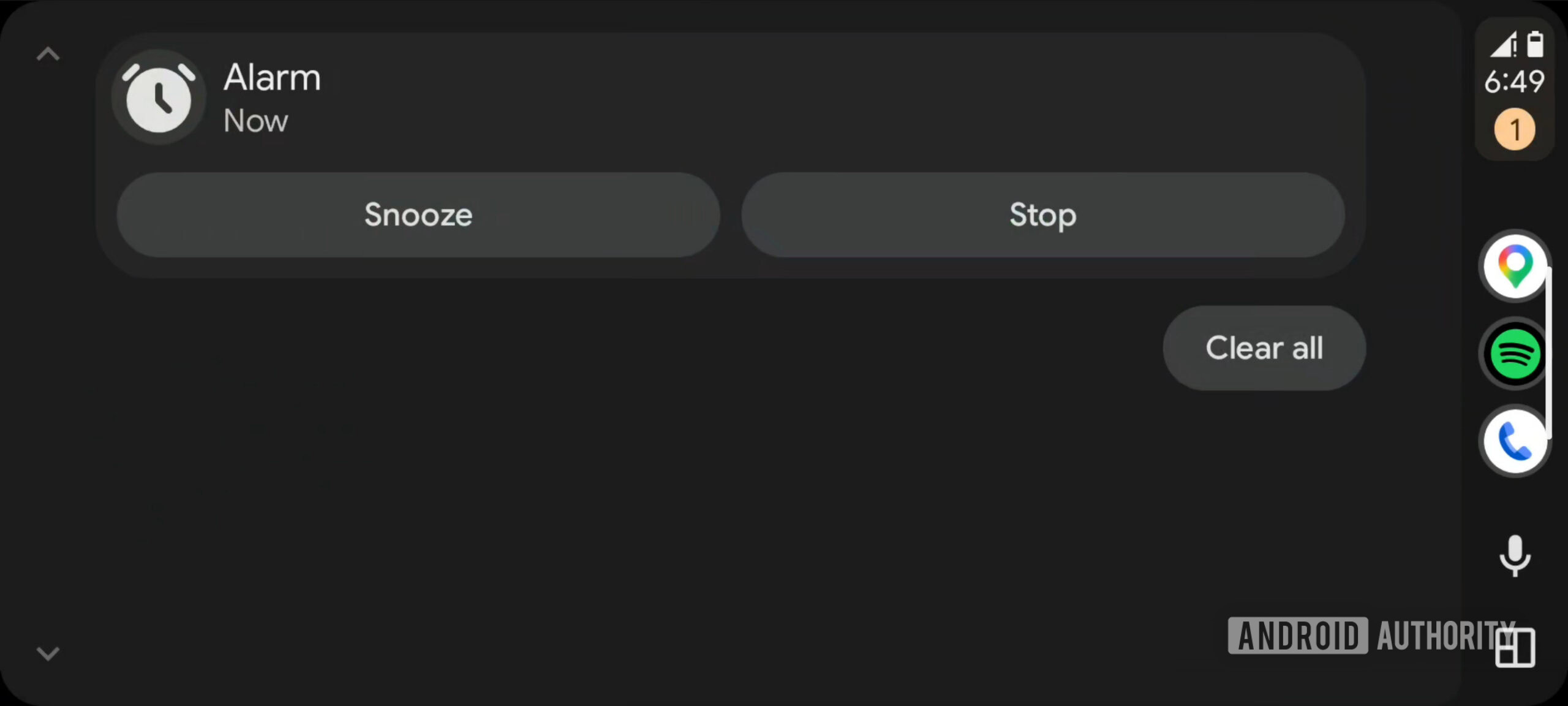
We conducted a teardown of the Android Auto app (version 16.8.161804) and activated the ability to snooze or dismiss phone alarms directly from the car’s screen. Check out our screenshots below, showing the Snooze and Stop buttons in both a pop-up notification and the notification shade.
Don’t want to miss the best from Android Authority?


This would be a long-overdue feature, as users have requested it for almost ten years now. Currently, the only way to dismiss or snooze your phone’s alarm in the car is to actually do so on the phone itself (or a linked smartwatch). And that’s not exactly smart while driving. It was also apparently possible to snooze or stop alarms via Google Assistant, but Gemini doesn’t support this feature.
There’s no word if or when this feature will come to Android Auto, but we really hope it lands sooner rather than later. This isn’t the only work-in-progress feature we’ve uncovered in recent months, either. We also managed to get an early look at climate controls in Android Auto.
⚠️ An APK teardown helps predict features that may arrive on a service in the future based on work-in-progress code. However, it is possible that such predicted features may not make it to a public release.
Thank you for being part of our community. Read our Comment Policy before posting.