


- Регистрация
- 15 Февраль 2018
- Сообщения
- 16 060
- Лучшие ответы
- 0
- Реакции
- 0
- Баллы
- 2 095
Offline
Mishaal Rahman / Android Authority
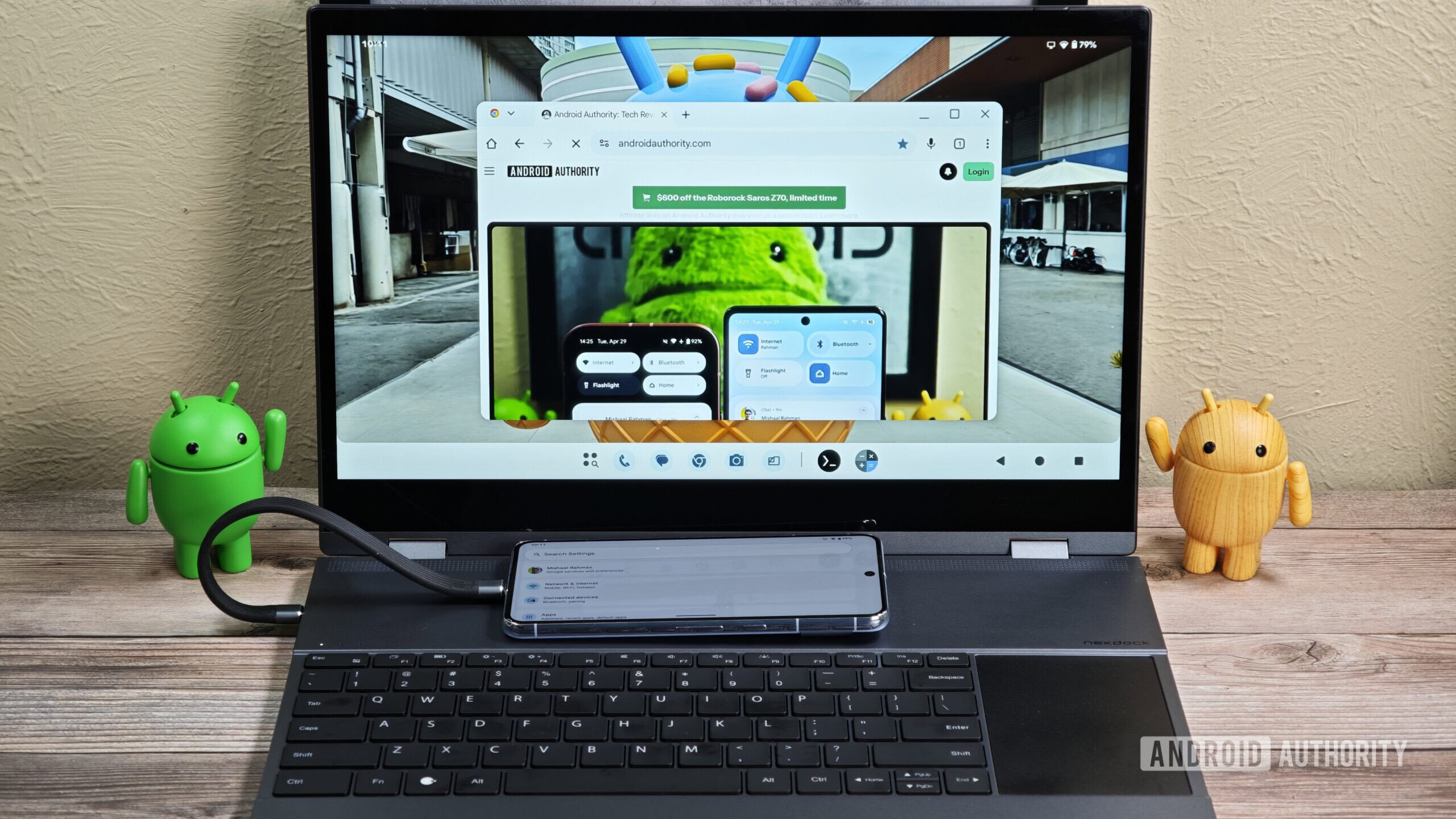
Google is gearing up to merge Android and Chrome OS this year, and while work is going on in the background, the company just gave us an accidental look at Android’s upcoming desktop interface. The originally public, but now-private bug report (via 9to5Google) contained two screen recordings that show off how this new Alumnium OS interface will handle split-screen multitasking and app updates through the Play Store.
It’s all a bit exciting to see because of its novelty factor, but the more I looked at that screen recording from the eyes of a Chrome OS fan, the more I noticed issues that could potentially turn into red flags for anyone who wants to do real work. Here are the four major ones.
What do you think of Aluminium OS?
555 votes
I like what I see so far
78%
I don't like what I see so far
22%
Is that a persistent top bar?
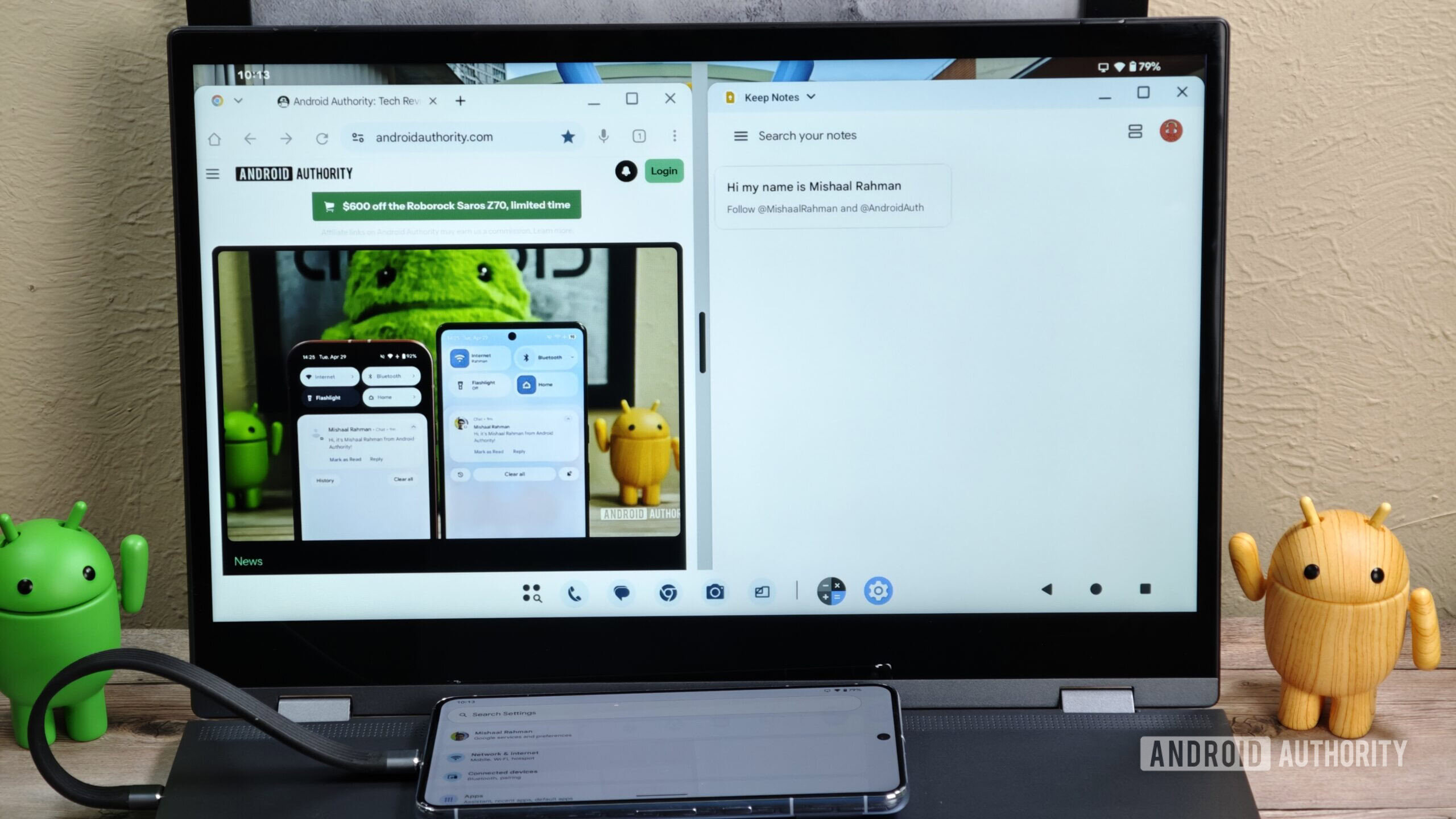
At first glance, the screen recording above doesn’t show anything offensive, but then the first thing that jumped out at me was what looks like a persistent top bar. Android Authority reader Matteventu said it best: “The whole desktop environment just looks 99% like the Android desktop experience that you get on phones. Which is good for phones, not for a proper desktop OS.”
That's not an Android and Chrome merger, that's Android's desktop mode.
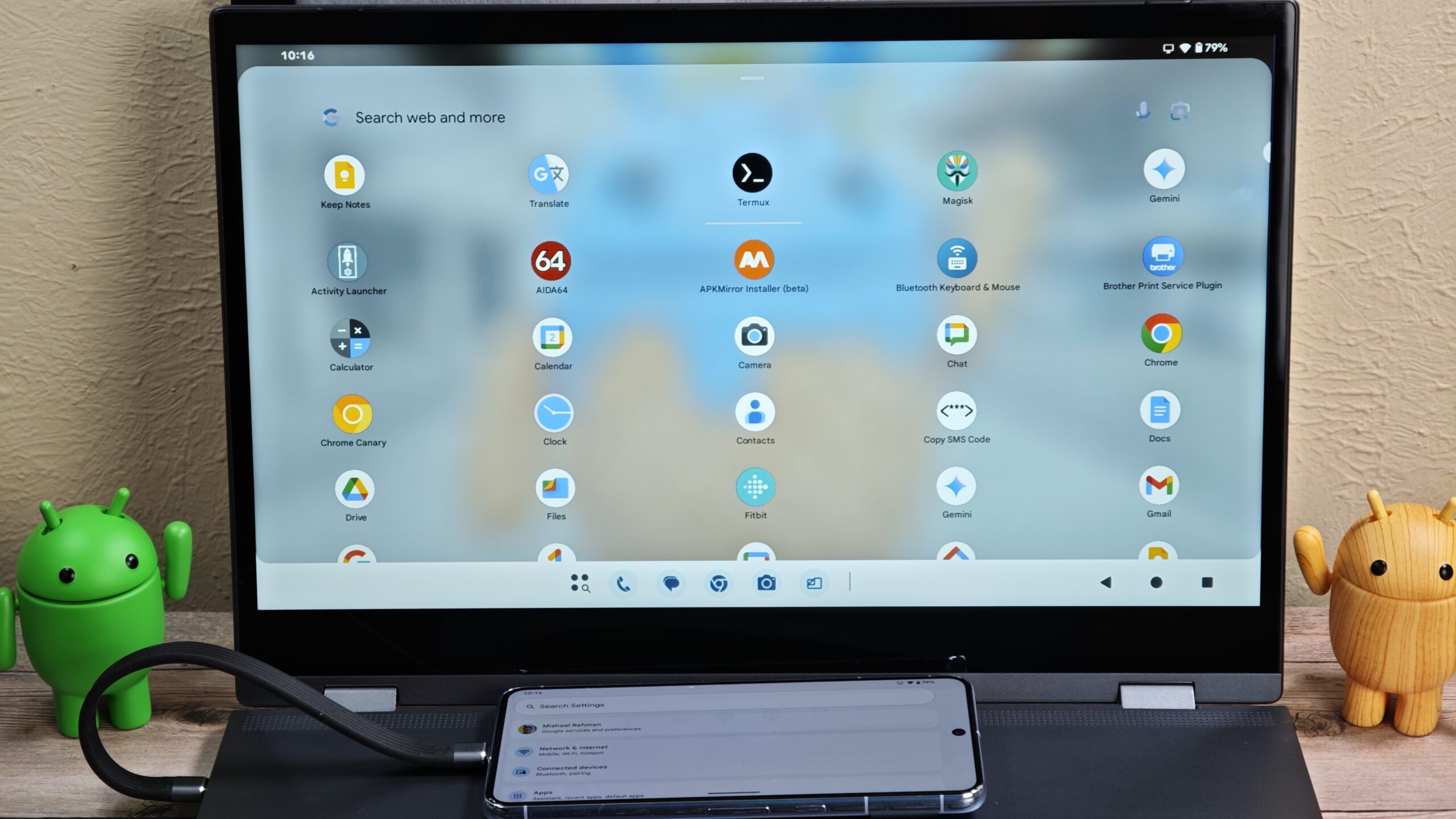
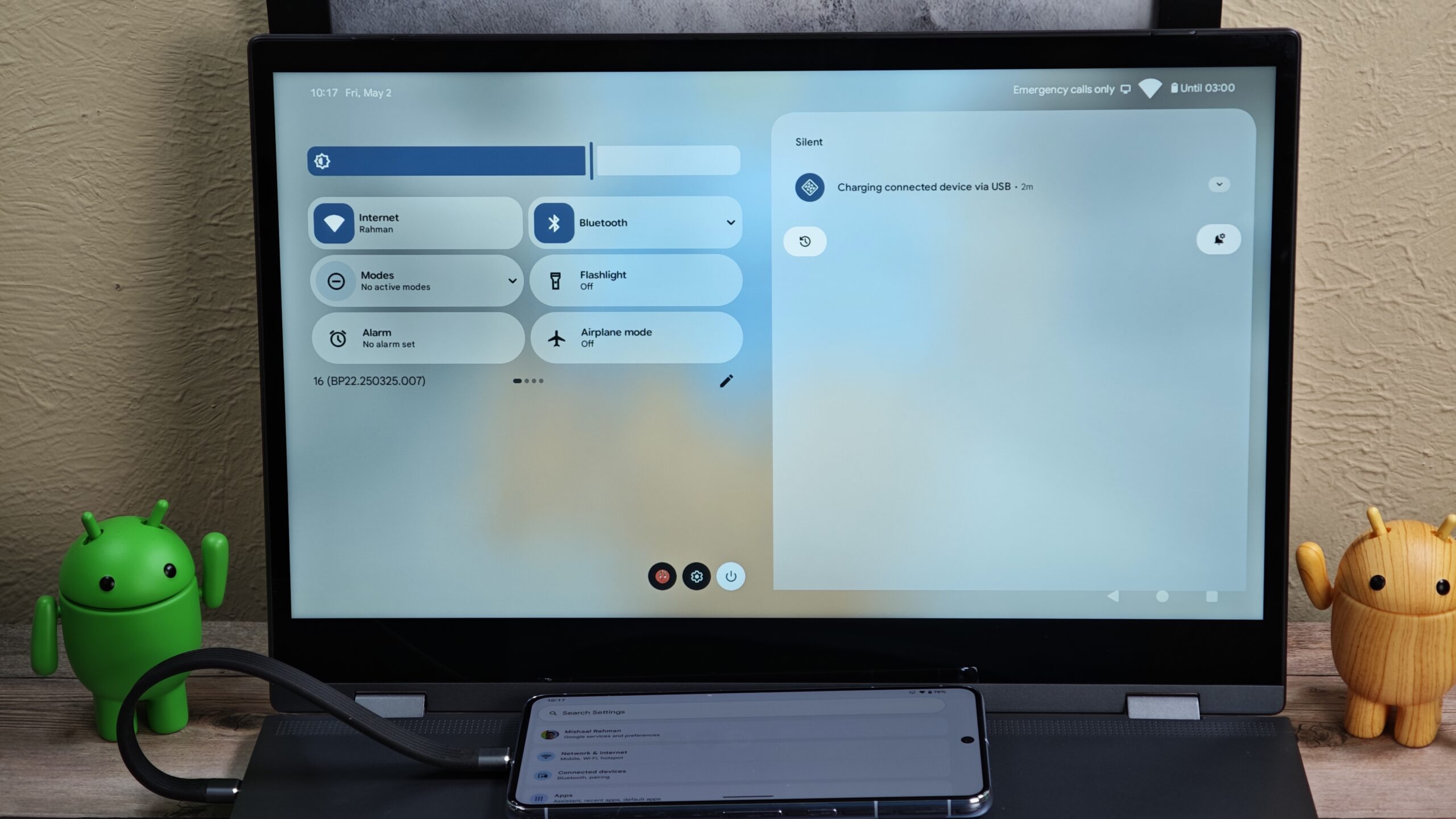
Just like on Android foldables, there’s a bottom taskbar with pinned app shortcuts, recent apps, and an app drawer, which I hope will be hideable on desktops the same way it is on foldables. However, there’s nothing else in that bottom bar; everything else is moved to a top bar, including the date and time, battery, language, and connectivity statuses. This is unlike what Chrome OS currently offers by shoving these into the bottom bar next to the apps, à la Windows. The issue, though, is that, like on Android, it’s a bit of extra wasted vertical space on your screen that will probably be persistent in all but full-screen apps.
While this does unify the way Android works and looks across platforms (and I find it a bit familiar since I’m also a Mac user), it does introduce a learning curve and a bit of extra annoyance for anyone who’s migrating from Windows or Chrome OS. And yes, if you like to keep the bottom bar visible at all times, it also reduces your workable visible display space.
Is that mobile Chrome and not desktop Chrome?
The browser running in the screen recording is Chrome Dev, so technically, one of the most advanced versions of Chrome that Google has cooked up so far. Yet everything in that interface makes me think it’s literally Chrome mobile, and not even close to Chrome for desktops.
What’s the difference? For one, websites don’t always display or act properly on Chrome mobile, even if you “request the desktop version.” Extension support is still not officially available in Chrome on mobile (unless you go the Chromium route), though I hope it’ll be ready by the time Aluminium OS launches officially. Chrome Mobile doesn’t support multiple profiles either, so you can’t run two instances with two different Google accounts to keep your personal and work history, bookmarks, logins, payment methods, etc., separate. If you want multiple profiles, you’ll have to work around it by installing Chrome and Chrome Beta or Dev and signing into each one with a different account.
Worse website compatibility, no custom search engines, no sidebar, few developer tools — this is what we're getting instead of desktop Chrome.
On top of this, Chrome Mobile has very limited developer tools, one of the cornerstones of the power-user experience on Chrome for desktops; it doesn’t have the new side panel with things like Reading Mode, History paths, and the new Gemini; it really sucks for third-party password managers; and it is sandboxed for file-saving, forcing you to download anything to your Downloads folder before you move it elsewhere.
Personally, my biggest pet peeve is that there’s no custom search engine support on Chrome mobile. I have over 50 search engines set up in Chrome for work purposes to instantly search or go to specific pages on some sites without passing by their homepage first. This is how I can search the Play Store with specific filters and sorting methods enabled from the get-go, for example, or do a Google Image Search without passing by images.google.com first. Search engines are a power-user feature for desktop users, and I somewhat doubt it’ll come to Chrome mobile in time for Aluminium OS’ launch.
Are we losing Chrome OS’s powerful screen capture?
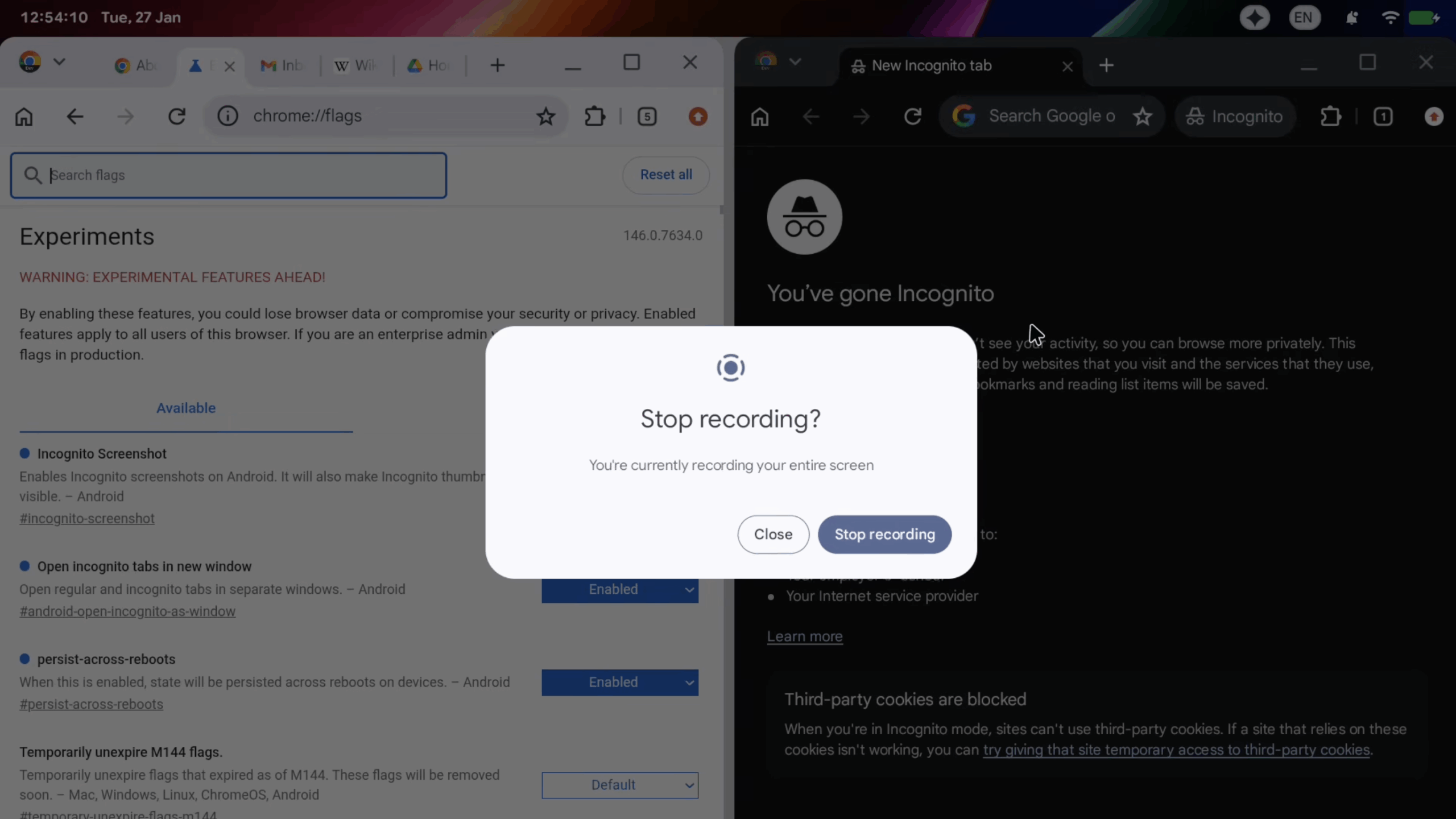
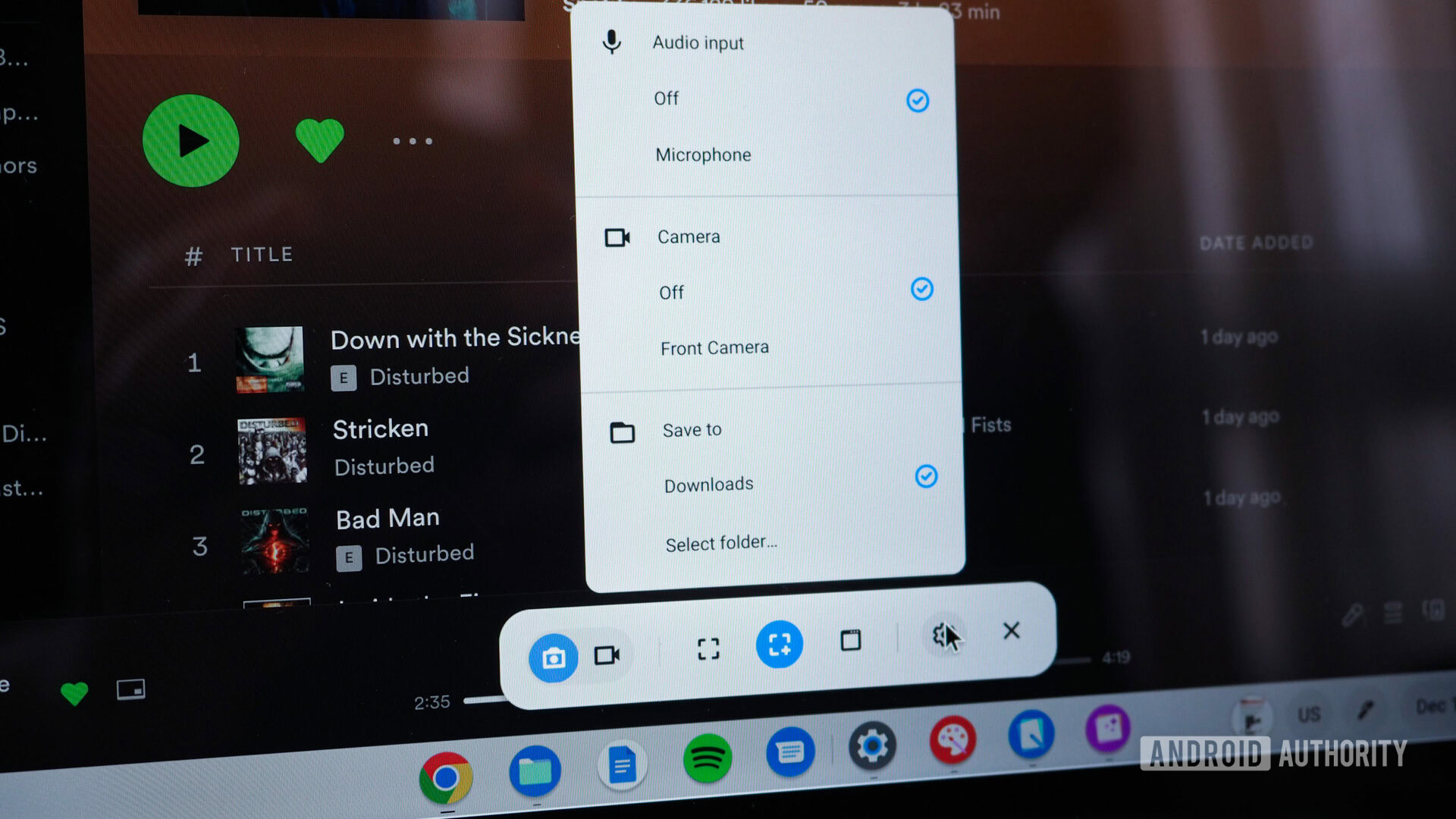
Throughout the bug report’s recording and at the very end, it’s clear that the screen recording tool that’s doing the heavy-lifting is none other than Android’s built-in screen recorder (left image above). That’s not surprising in any way, but it did make me think of all the cool features that Aluminium OS would be leaving behind from Chrome OS (right image).
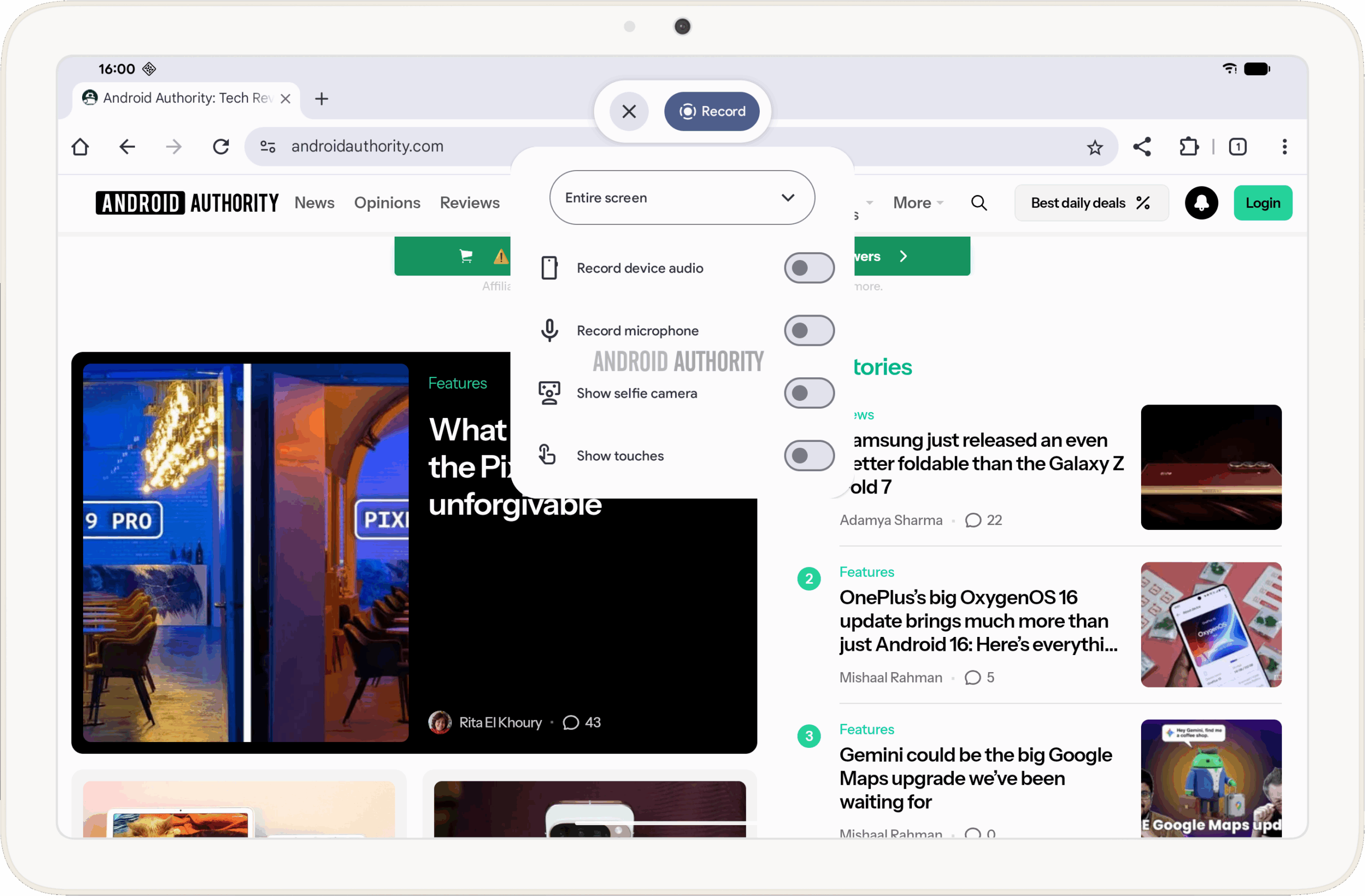
Of course, we can’t see the pop-up menu before the screen recording is started, but based on what we know, Android’s built-in recorder can capture one app or the full screen, with an audio choice between the device, the microphone, or both. We know there’s work being done to improve screen recordings on Android, which will add the option to record HDMI input, show touches, and show the selfie cam too for a presenter-style vibe. This should bring many of the missing features from Chrome OS’s screen capture, but it’s not enough for feature parity.
Mishaal Rahman / Android Authority
Upcoming screen recorder toolbar UI in Android.
Screen capture on Chrome OS had matured into a really powerful tool, with options similar to desktop environments. It could record a specific window or a specific area of the screen — something that I personally find useful many times in a given week. Sure, you could always capture the entire screen, then crop, but the point of tools is to save you time, and Google had put in the work to make screen capture on Chrome OS very capable before scrapping it all up and starting from scratch to make it usable again on Android.
Where are all the extra Chrome OS features?
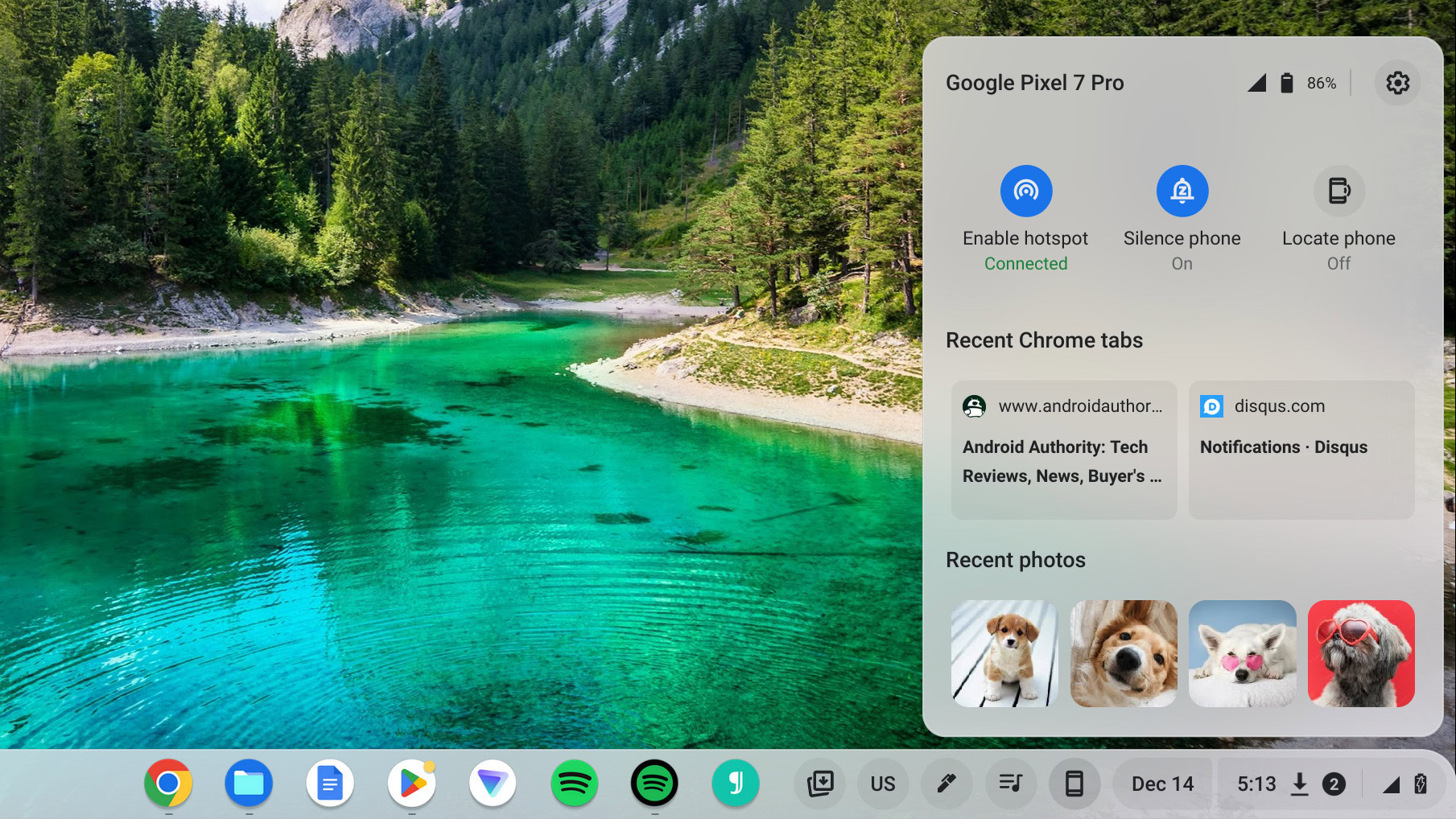
Rita El Khoury / Android Authority
When I lamented the switch to a top bar, I didn’t mention all the seemingly gone productivity and special features that Chrome OS has and that Aluminium OS appears to lack. Although what we see in the bug report’s screen recording isn’t an indication of what is/isn’t there (that particular user might not have enabled these extras), or what will/won’t be there on launch, I’m still skeptical that Google will bring all of Chrome OS’s special features to Android in time.
Canvas, Cursive, PDF annotation, the Files app, and many more could be victims of this rushed merger.
Phone Hub, which shows your currently-connected Android phone with some quick settings, recent photos and files, and open Chrome tabs is likely a victim of this. Canvas and Cursive, Chrome OS’s special apps for annotation and drawing, as well as the built-in PDF annotation and signing tool, might be gone, too. These are all productivity extras that made Chrome OS more powerful for daily use, and if they’re really gone, you’ll have to get third-party apps, likely paid ones, to fill that void.
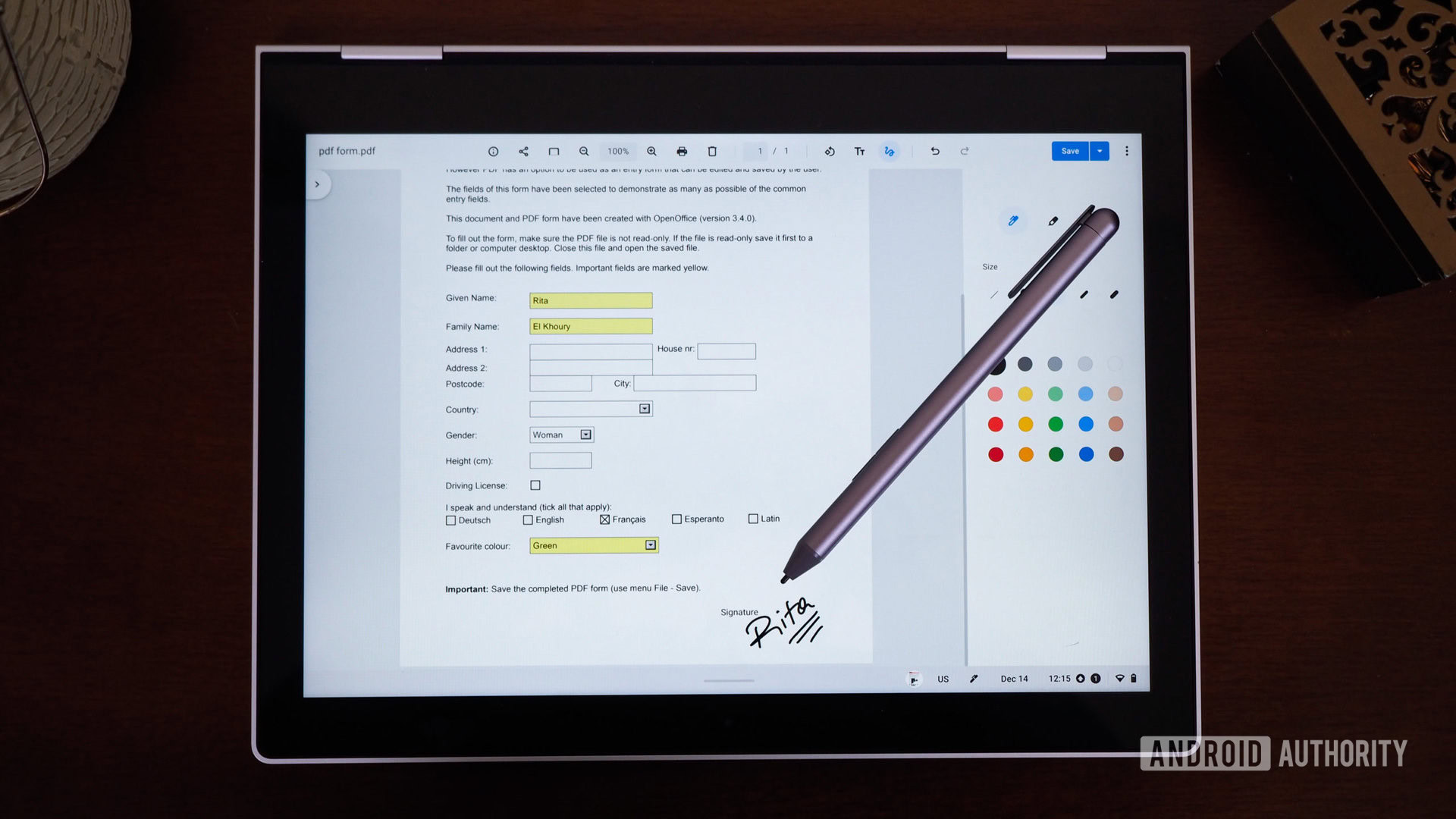
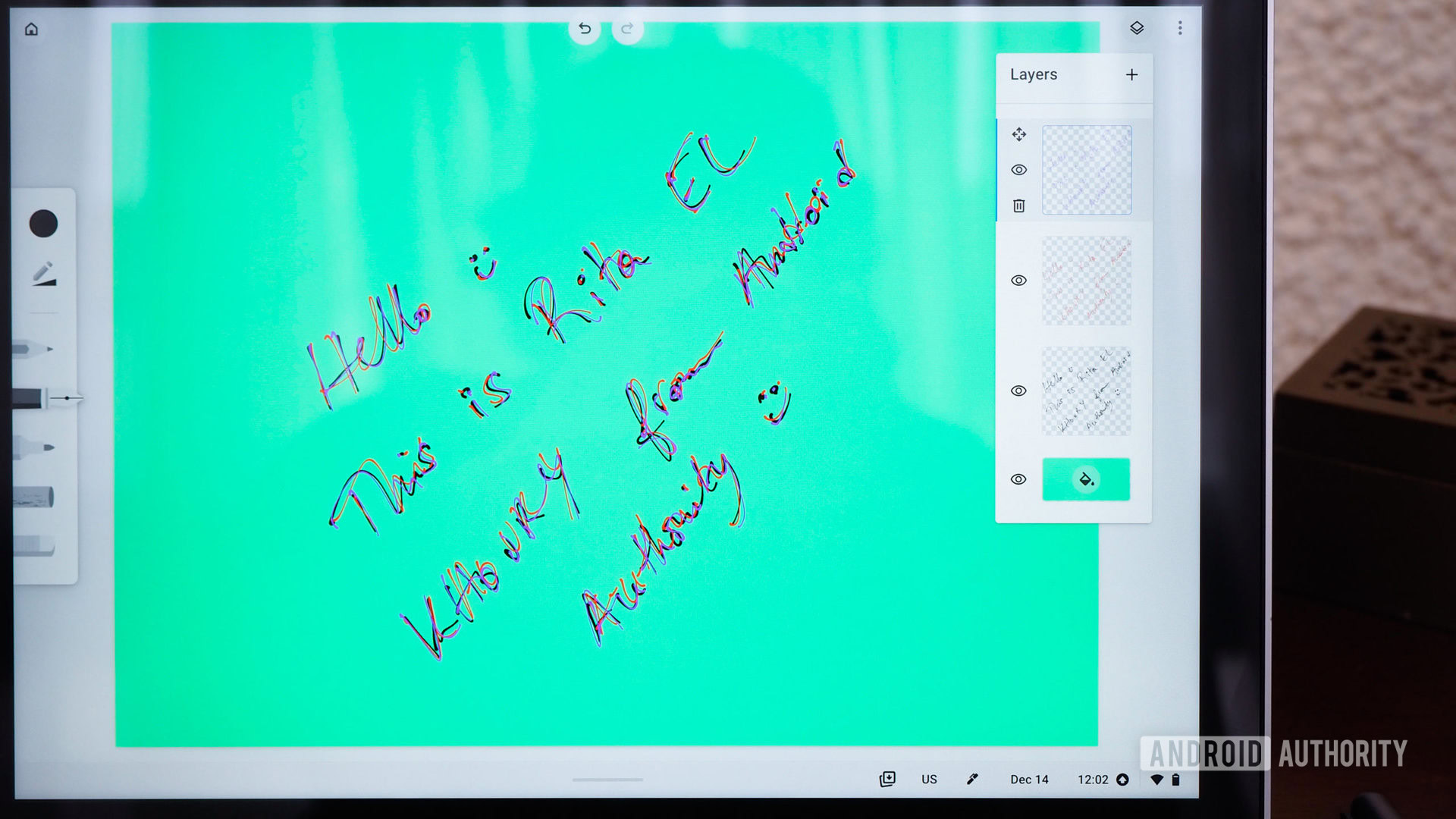
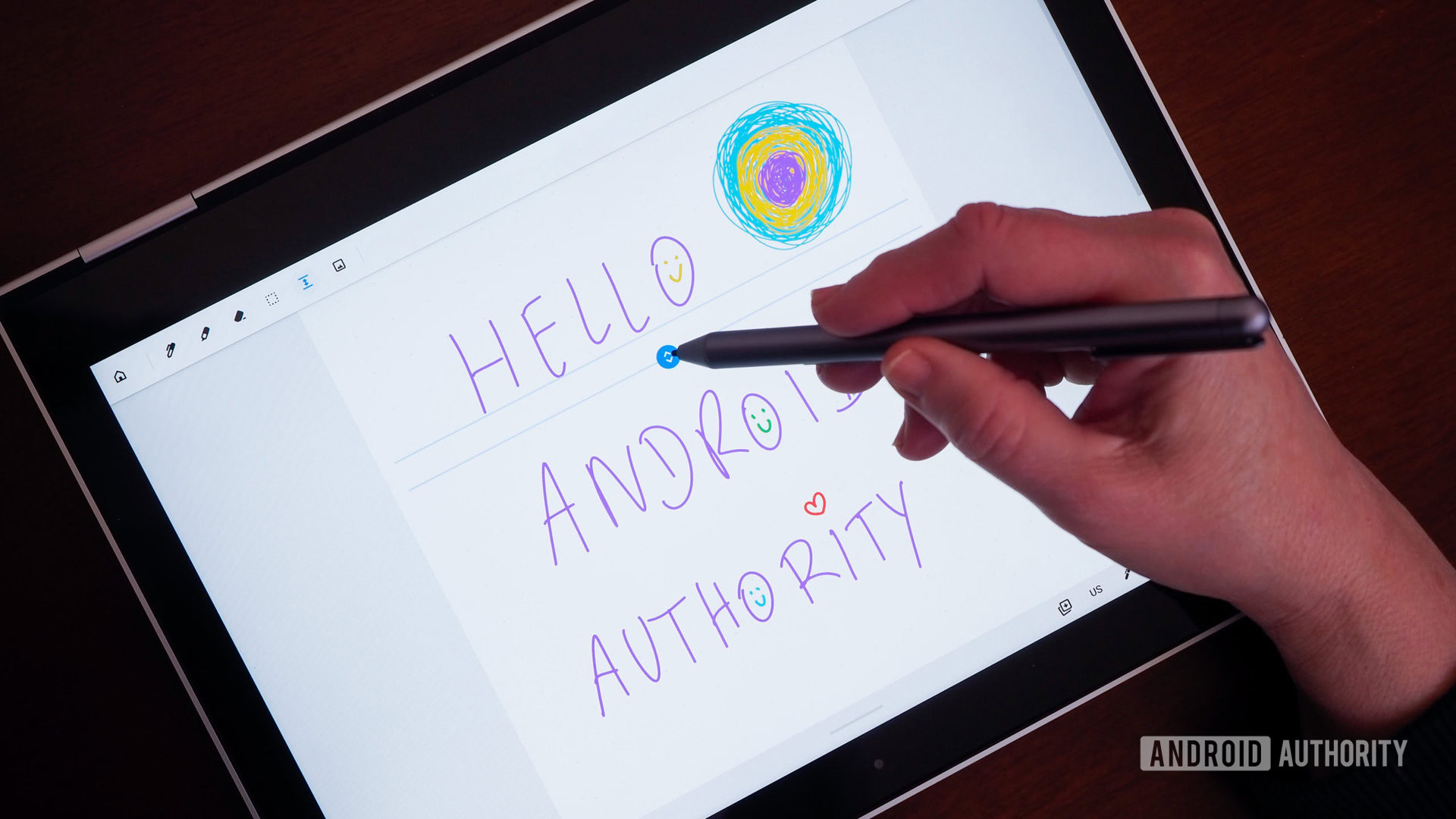
I also doubt that Android’s file explorer will be upgraded to support multiple tabs or instances, or that it’ll let you mount a Google Drive or a network storage to browse and manage cloud/network files. That’s another crucial desktop feature that you’d have to replace with a third-party tool.
So, I guess we’re basically starting from scratch?
Mishaal Rahman / Android Authority
From what I’ve seen so far, there’s nothing really encouraging about Aluminium OS at all. It’s looking like a carbon copy of Android’s existing desktop mode, and a huge step back for anyone who needs productivity or even a whiff of power-user features. Sure, Google is doing the legwork to bring extensions to mobile Chrome, make screen recording more powerful, and adapt more apps to larger screens, but is it enough?
What irritates me about this is that I could see it coming from miles away. I knew that a Chrome OS and Android merger would result in a half-baked product and that we would spend years waiting for Google to catch up to what it has already achieved with Chrome OS. We’ve played this game before with the irritating Google Play Music to YouTube Music switch, the ongoing and painful Assistant to Gemini migration, and the G Suite to Workspace switch that broke many users’ workflows and setups. Nothing is seamless with Google, and even if things eventually calm down and normalize, the transition woes aren’t insignificant.
You're saying the almighty Google couldn't do all the work to properly merge Chrome and Android behind the scenes, get it to feature parity, and then release it?!
Even back in 2022, Chrome OS was a very mature and capable desktop environment. Not as powerful as Windows or macOS, but good enough for millions of students and users across the world. It’s silly to think that all this work has been scrapped and we’re almost back to square zero, trying to make a mobile environment function like a desktop.
There are some positives, though. Android is gaining some powerful features that will be helpful for mobile users, too, and in the long run, Google might be banking on hooking young users in schools to Android to avoid the massive exodus to iOS — especially in the US market — by the time their teenage years roll around. So there may be a net positive to this whole ordeal in the future, but you’re telling me that the almighty Google couldn’t do all this work to merge Chrome and Android behind the scenes, get it to feature parity, and then release it?! Instead, I’ll guarantee we’ll have a half-baked migration for several years that may alienate all the already-loyal Chrome OS users.
Don’t want to miss the best from Android Authority?


Thank you for being part of our community. Read our Comment Policy before posting.
